Literature for your thesis
Stuck with finding sources for your bachelor's or master's thesis? Use this page as self-help or drop by for an informal chat with an information specialist. We have time to talk and serve coffee.

Drop by the library at Solbjerg Plads and talk to our information specialists. They can support CBS students writing their master's thesis or bachelor's project.
We are here to help you move forward with, for example:
- Where to start?
- Search strategies
- Keywords and AI
If you get stuck
I get too many results – what can I do?
Try to make your search more precise: add more keywords with AND between them, use filters (year, peer reviewed, material type), or search for your words in the title or abstract instead of the entire text.
I can't find anything – what should I do?
Check whether your search terms are too narrow, search for synonyms and write OR between the words, search in English or remove some of your restrictions.
How do I know if my search is good enough?
A good search will give you relevant, academic sources, but not necessarily all sources. If you can explain how you searched and why your sources are relevant, you are well on your way. There is no right answer.
When is a source scientific?
A scientific source is typically written by researchers from universities, published in an academic journal and peer reviewed.
Peer review is the academic world’s quality control. When researchers write an article, they submit it to a journal, which asks other experts to evaluate the content, methods and conclusions before it is published.
How can you check if an article is peer reviewed?
It is the journal – not the article – you need to check.
- look up the journal in Libsearch via Find journals, where a purple label shows that the journal uses peer review
- visit the journal’s website and read more under About
How do I find the journals my supervisor recommends?
Search for the journal title in Libsearch under Find Journals. In the list, you can see whether the library has purchased access and where you can find the journal.
How can I use AI to support brainstorming and searching?
Generative AI can be used as a supplement when identifying relevant subject terms and building search strings.
In addition, there are search systems that use AI, where you can insert text or formulate a short description of your information needs to generate relevant search results.
Where should I start?
We recommend that you start with these online resources. Three search systems that cover CBS’ subject areas well.
Libsearch
Contains everything on the library shelves as well as a wide range of online texts across all subject areas.
Scopus
Primarily contains academic articles from peer-reviewed journals.
Business Source Ultimate
Contains articles from both academic journals and magazines within the social sciences as well as industry and market reports.
Search strategies
We guide you through three ways of finding literature.
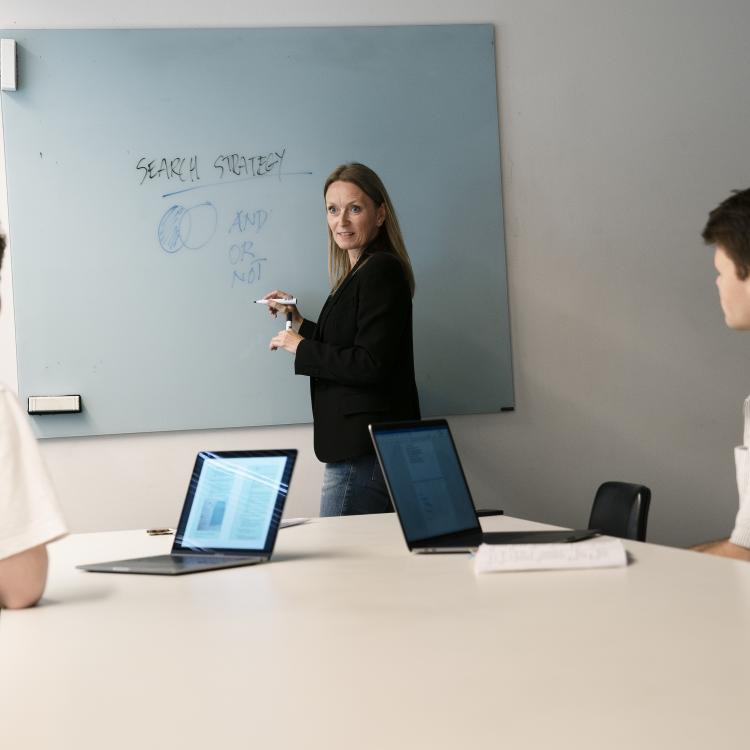
Use keywords
The classic approach to searching, where you combine relevant words from your problem statement using AND and OR.
Use citations and references
Start from an important article you may have been recommended by your supervisor. Use it to find related older and more recent academic articles.

Use artificial intelligence
AI can help you find relevant texts even if you don't have any keywords to search for.
Also read
Use these short guides to get started with your search and learn how to find and narrow down relevant scientific articles.
Keep track of the sources you find
Save the sources
Use a reference management tool to save all the good sources you find. This way, you avoid having to search for them again.
It also becomes easier to insert references and create literature lists in your texts.

We are here all year round
Contact the librarySupport for your literature search all year round
The information specialists are not only available in March. You are always welcome to visit the library and talk with us about literature searching, company data, references or similar topics.
Contact us or see opening hours