How to search using keywords
It can be challenging to get started with a subject search and structure it in a logical way when your research question includes several subtopics. Learn how to get an overview and structure your keywords – and how to combine them into a search string that will help you find more relevant sources.
Build a good search in 4 steps
1. Brainstorm
A good way to begin brainstorming is to write a sentence that could serve as the title of an article you would like to read. Then break that sentence down into searchable words, for example:
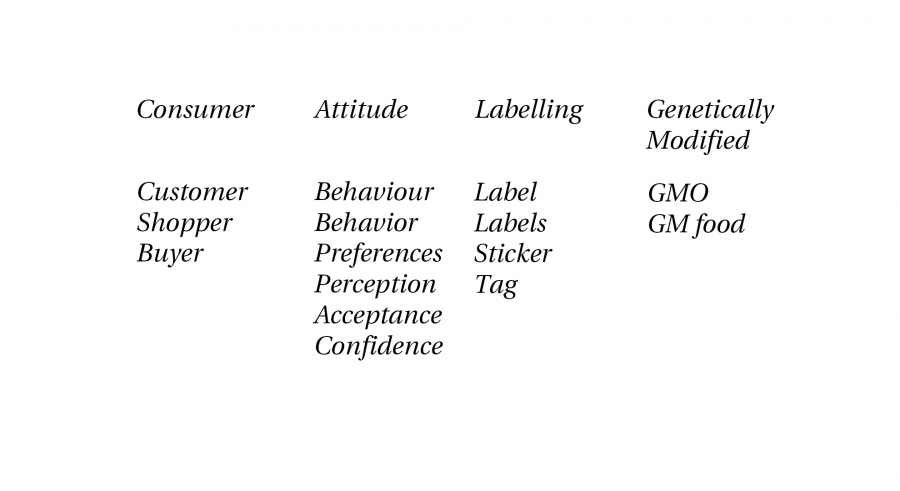
Consumer attitudes toward labelling of genetically modified foods
Divide the words into blocks and think about synonyms and related terms. This will help you identify if you are missing any relevant keywords.
There are many ways to brainstorm and create mind maps. If you haven't tried these methods before, search on YouTube for inspiration. Here are a few ideas:
- Create a mind map
- Chat with a generative AI tool
- Use encyclopaedias, dictionaries or a thesaurus for inspiration such as the thesaurus in Business Source Ultimate
- Do a “quick and dirty” search on Google Scholar and skim the results for alternative keywords
2. Add the Boolean operators AND OR
There are many search techniques, but the Boolean operators are an effective way to broaden or narrow your searches.
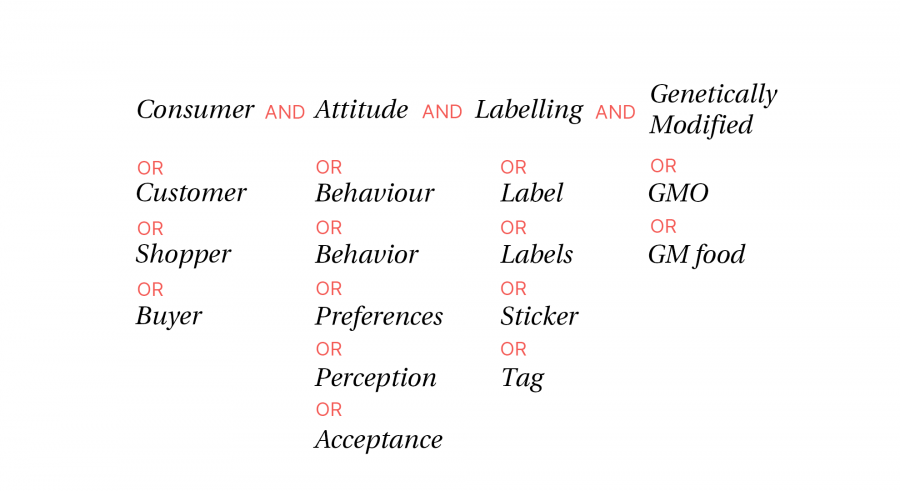
When you have created your word blocks, you can combine them into a search using the Boolean operators AND, OR and NOT.
- Use OR within a block.
- Use AND to combine two blocks and find texts that contain at least one term from each block.
- Use NOT when you are certain that a particular word should be excluded from the results.
3. Mask, truncate and phrase search
You can use different techniques and symbols to refine your search results. The symbols may vary from one search system to another. Check the help files in the resource you are using.
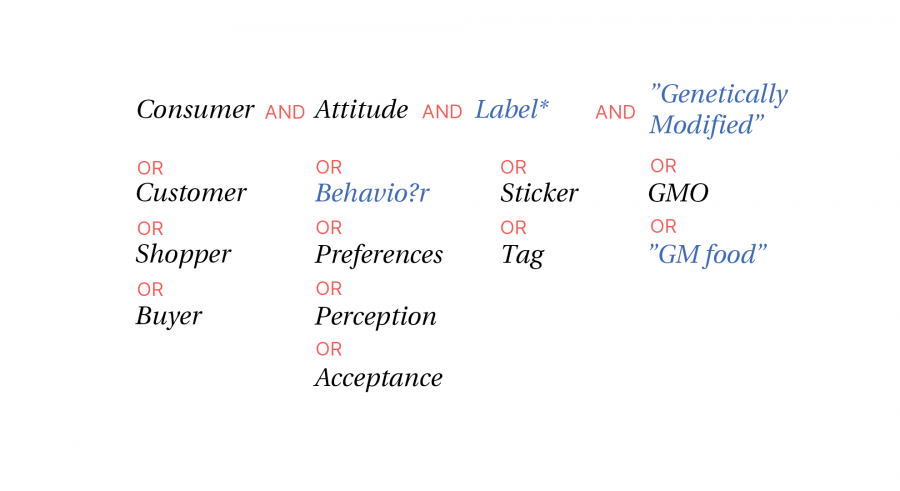
- Truncate and hide word endings with * or ?
Example: ethnic* = ethnic, ethnicity, ethnical, ethnically
- Mask a single letter with ?
Example: Behavio?r = behavior, behaviour
- Search for exact phrases using quotation marks.
Example: "relationship marketing"
- Use proximity operators if the words should appear within a certain number of words from each other.
Examples: (organi* n3 strategy) (organi* W/3 strategy)
4. Create a search string
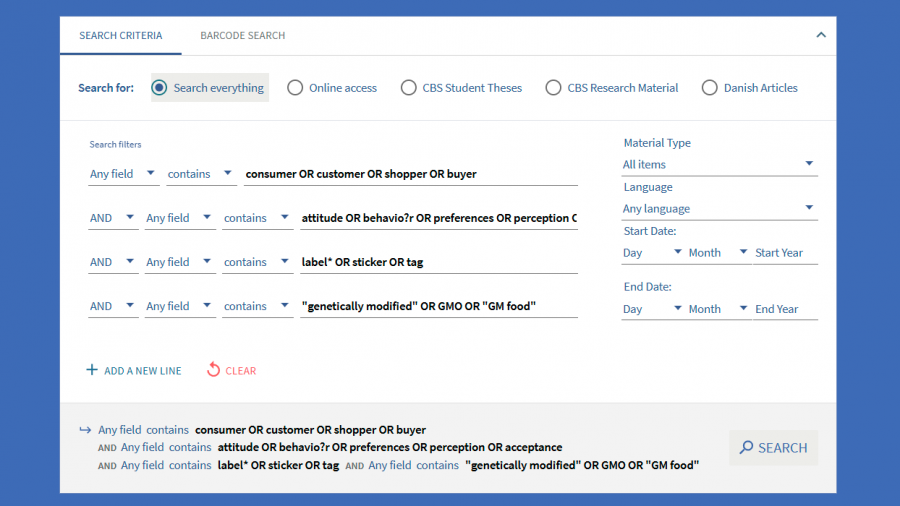
Now it is time to transfer your keywords and Boolean operators into a search system. This works best in databases that offer an advanced search interface, allowing you to create multiple rows and combine them.
In Libsearch's Advanced search, you can enter all your keywords in different rows and combine them with OR and AND. This technique is also great in article databases such as Business Source Ultimate and Scopus.
If there are no rows but only a single blank search field, each row must be enclosed in parentheses at the beginning and end.
Example of a search string:
(consumer OR customer OR shopper OR buyer)
AND
(attitude OR behavio?r OR preferences OR perception OR acceptance)
AND
(label* OR sticker OR tag)
AND
("genetically modified" OR GMO OR "GM food")
Download PDF on boolean operators (AND, OR, NOT)
Use AI for brainstorming
Save the sources you find
Use a reference management tool to save all the useful sources you discover. That way, you will not need to search for them again, and it is easier to insert citations and create reference lists in your assignments.
